security
Connecting a cloud account without storing a key
30 Sept 2026 · 4 min read · Zaysa

Most tools that read your cloud start by asking for an access key. You create a user, generate a key and a secret, paste them into a form, and from then on a copy of that secret lives in someone else's database for as long as the integration exists.
That key does not expire. It works from anywhere. If it leaks, nothing about the key itself tells you, and the usual way teams find out is an unexpected bill or a message from their cloud provider.
There is a better way, and all three large clouds support it. It is called federated identity, and it means the tool never holds a long-lived secret for your account at all.
How federated identity works
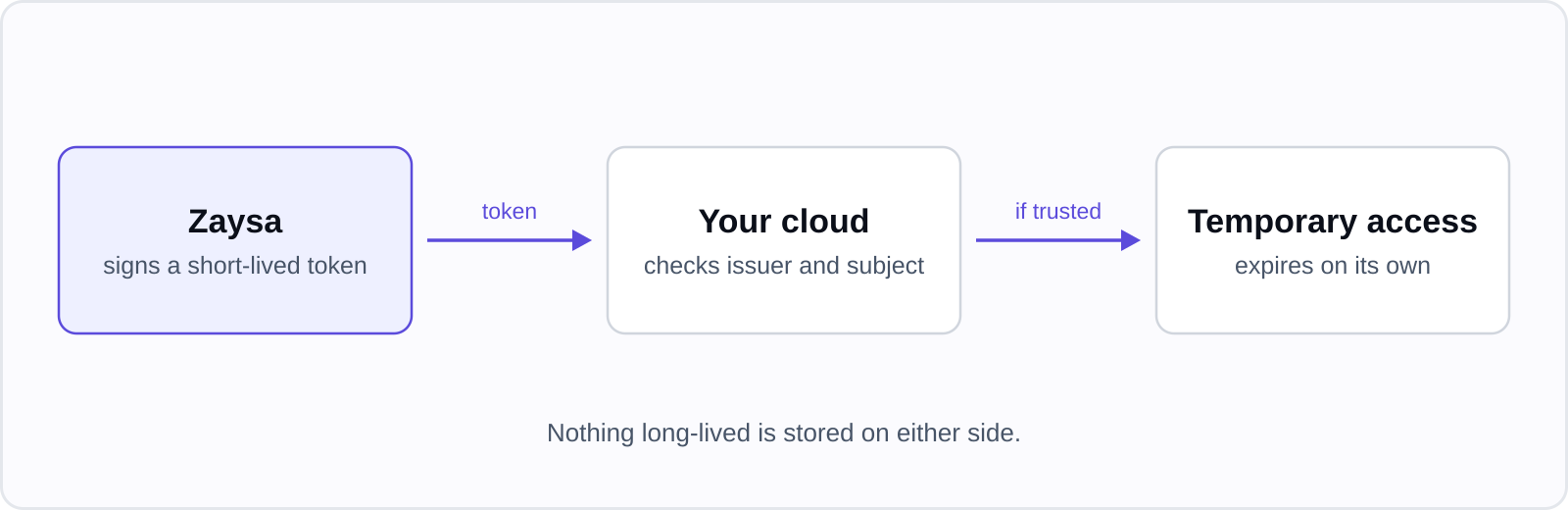
Instead of a stored key, the two sides agree on a trust relationship once:
- The tool publishes a public signing key at a known address, called the issuer.
- In your cloud account you create a rule that says: accept tokens from this issuer, but only when the token's subject is exactly this value.
- Each time the tool needs access, it signs a fresh token that names the subject and lasts a few minutes.
- Your cloud checks the signature, the issuer and the subject. If all three match, it hands back temporary credentials that expire on their own, usually within an hour.
The important part is step 2. The rule lives in your account, you can read it, and you can delete it. Removing the rule ends the access immediately, with no key to rotate and no secret to hunt down.
What it is called in each cloud
| Cloud | The trust you create | The call that exchanges the token |
|---|---|---|
| AWS | An OIDC identity provider and an IAM role whose trust policy names it | sts:AssumeRoleWithWebIdentity |
| Azure | A federated credential on an app registration | The Microsoft identity platform token endpoint, with the token as a client assertion |
| Google Cloud | A workload identity pool and provider | The Security Token Service, then service account impersonation |
The names differ, the shape is the same: an issuer, a subject, an audience, and a role that decides what the temporary credentials may do.
What to check in the trust you create
A federated trust is only as strict as the conditions on it. When you set one up, for any tool, look at these:
- The subject is pinned to an exact value. A trust that accepts any subject from an issuer accepts every customer of that tool, not only you. On AWS this is the
subcondition in the role's trust policy. On Google Cloud it is the attribute condition on the provider. - The audience is pinned too. It stops a token that was minted for one purpose from being replayed for another.
- The role is scoped to the job. Reading an inventory needs read-only permissions. Deploying needs more, and deserves its own role.
- You know how to remove it. One identity provider, one role. Write down where they are.
One thing that catches people out
The issuer address is part of the identity. If a vendor moves to a new domain, the issuer changes, and every trust that names the old address stops working until it is updated. That is the system doing its job: your cloud refuses a token from an address it was never told to trust. It is worth knowing in advance, because the error messages are not always clear about the cause.
Where a key is still the only option
Not every provider supports federation. DigitalOcean, for example, uses API tokens. When a stored token is unavoidable, the questions to ask are simple: is it encrypted at rest, is it scoped as narrowly as the provider allows, and can you revoke it yourself.
How Zaysa connects
Zaysa connects to AWS, Azure and Google Cloud with short-lived federated identity, so no access keys are stored. The connection screen gives you the exact commands to create the trust in your own account, with the subject pinned to your account. DigitalOcean uses an API token, stored encrypted.