access
Standing access is the quiet risk
30 Sept 2026 · 3 min read · Zaysa

Ask an engineering team who can reach the production database, and the honest answer is usually a list that nobody has looked at for a while. Someone needed access for a migration last spring. A contractor was added for a project that finished. An on-call rota changed and the old members kept what they had.
None of those grants was a mistake when it was made. The problem is that each one was permanent, and permanent access only ever accumulates.
What standing access costs
Standing access means a person or a system can reach something at any time, whether or not they have a reason to right now. It is convenient, and it is where most of the risk sits:
- Every account is a way in. A stolen laptop or a phished password is as powerful as the access its owner holds at that moment. If that access is permanent, so is the exposure.
- Nobody can answer "who can reach this?" quickly. The answer is spread across cloud roles, database users, SSH keys and cluster bindings.
- Offboarding becomes detective work. When someone leaves, you have to find every place they were added. Shared passwords cannot be taken back at all, only changed for everyone.
Turning the default around
The alternative is to make no access the normal state, and to grant access for a reason and a length of time.
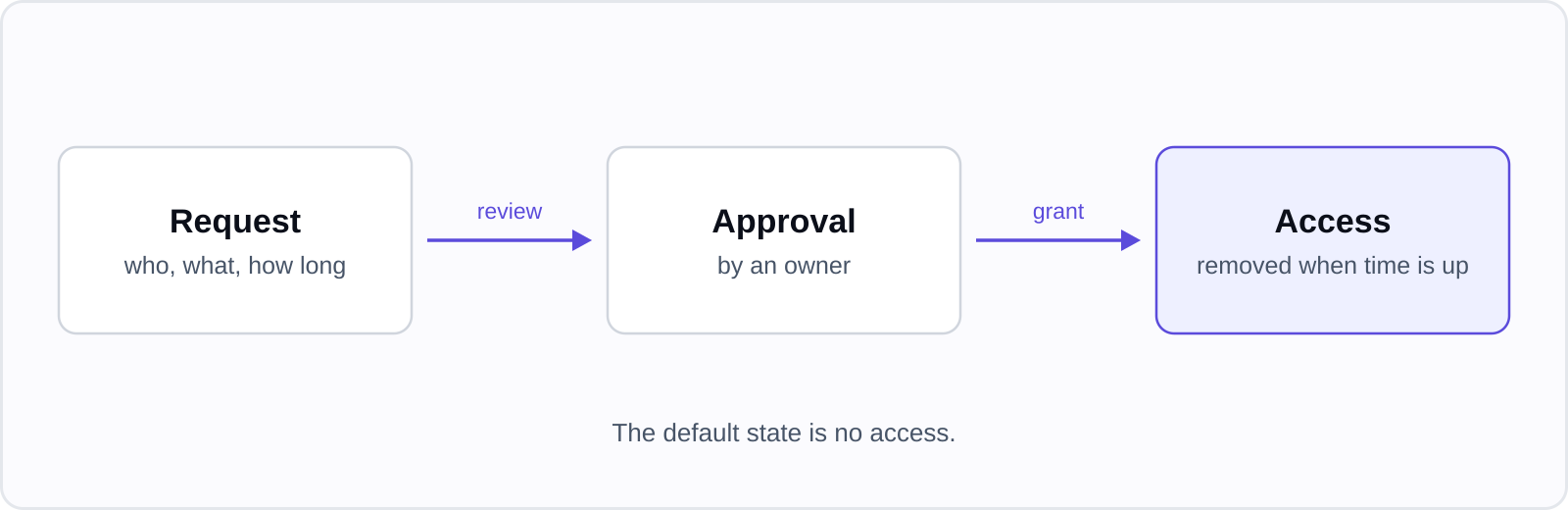
A request says who needs access, to what, and for how long. An owner approves it. When the time is up, the access is removed without anyone having to remember. This is often called just-in-time access.
Three properties matter more than the name:
- It expires by itself. A process that depends on someone revoking access by hand will drift back to standing access.
- The credential is made for the grant. A temporary database user created for this request and dropped at the end leaves nothing to leak afterwards. A shared password handed out for an hour is still a shared password.
- It is recorded. Who asked, who approved, when it started and ended, and for interactive sessions, what was done.
The objection: it slows people down
It does, a little, and that is a fair concern. The way to keep it small is to be honest about which access is sensitive:
- Read-only access to a staging environment can be approved automatically.
- Write access to production data deserves a person's approval.
- The request should take seconds and live where engineers already work.
If getting access is slower than finding a colleague with a saved password, people will do the second thing.
Reaching private systems without opening them up
Just-in-time access is harder when the database has no public address, which it should not have. Two common answers are a bastion host, which becomes another thing to secure, and a small agent that runs inside the network and dials out. The second needs no inbound port: the agent connects outward, carries the session, and the database stays private.
How Zaysa approaches it
In Zaysa, engineers request time-bound access to cloud accounts, databases, clusters, servers and GitHub. Access is granted for a set time and removed automatically when it ends. A lightweight connector inside your network carries the access, so databases and servers do not need to be exposed to the internet, and every request the connector makes is signed. Terminal sessions are recorded and kept for 60 days. When someone leaves, you can revoke everything they have in one step.